Note
Go to the end to download the full example code.
Selection of shapes and naming modes
from qtcad.builder import Builder, Polygon, Mask
Creating the demonstration shapes
We begin with creating three parallel boxes as a demonstration.
Finally, we add a box with a duplicate name.
box_mask.add_shape(box.translated(1, 0))
Polygon(name='box_1', id=3, hull=[(1.8, -5), (1.8, 5), (2.2, 5), (2.2, -5)], holes=[])
Selecting masks
First, we add the mask to the newly instantiated Builder.
builder = Builder().add_mask(box_mask)
builder.print_mask_tree()
Layout
└── Mask 0 "boxes"
    ├── 0  Polygon  "box_-1" (4)
    ├── 1  Polygon  "box_0" (4)
    ├── 2  Polygon  "box_1" (4)
    └── 3  Polygon  "box_1" (4)

<qtcad.builder.builder.Builder object at 0x75211d183cb0>
As we see above, shapes are grouped into “Masks”. Each mask and
shape may be identified by their name or ID. The name of a shape
doesn’t have to be unique and can be set in the shape constructor (see
qtcad.builder.Polygon) and as a user property in the layout file
(MaskContainer.load_layout). To select all shapes in a mask we
employ qtcad.builder.Builder.use_mask.
- Builder.use_mask(mask: int | str | Mask | Callable[[Mask], bool] | list[int | str | Mask | Callable[[Mask], bool]]) Self
[🔧 Modifier] Switch to use another mask as the working one. The
maskparameter can be either the ID or name of a mask or a function taking a mask and returningTrueif the mask is to be selected. A list of the above can also be provided (seeMaskContainer.get_mask). If multiple masks are selected, they are merged into a temporary mask.This operation also selects all shapes in the mask (see also
use_shape).- Parameters:
mask – Name or identifier (index) of the mask.
builder.use_mask("boxes")
[13:10:12] INFO     Using mask 'boxes' (implicitly selecting     _builder.py:849
                    shapes [Polygon 0 'box_-1', Polygon 1
                    'box_0', Polygon 2 'box_1', Polygon 3
                    'box_1'])

<qtcad.builder.builder.Builder object at 0x75211d183cb0>
Group from shape names
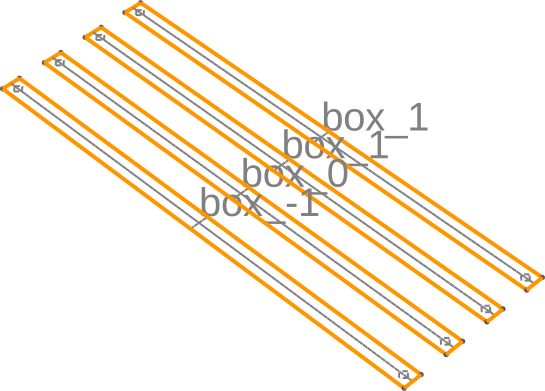
If we now add entities the selected shapes into the model using
qtcad.builder.Builder.group_from_shape the resulting entities will
be added to physical groups named after the shapes they are created from.
- Builder.group_from_shape() Self
[🔧 Modifier] Any entities created after calling this method will be assigned to a physical group that is named according the name of the shape that the entity is created from.
builder.group_from_shape().add_surface()

builder.view(
    surfaces=True,
    volume_labels=False,
    surface_labels=True,
    angles=(-45, 0, 45),
    save="figs/from_shape.svg",
    font_size=30,
)
           INFO     Creating a surface from shape 0 with name   _builder.py:2756
                    'box_-1' from mask 'boxes' at z=0
           INFO     Creating new physical group of dimension 2  _builder.py:2836
                    with name 'box_-1'
           INFO     Creating a surface from shape 1 with name   _builder.py:2756
                    'box_0' from mask 'boxes' at z=0
           INFO     Creating new physical group of dimension 2  _builder.py:2836
                    with name 'box_0'
           INFO     Creating a surface from shape 2 with name   _builder.py:2756
                    'box_1' from mask 'boxes' at z=0
           INFO     Creating new physical group of dimension 2  _builder.py:2836
                    with name 'box_1'
           INFO     Creating a surface from shape 3 with name   _builder.py:2756
                    'box_1' from mask 'boxes' at z=0
           INFO     Saving figure                               _builder.py:2131

<qtcad.builder.builder.Builder object at 0x75211d183cb0>
We can always take individual entities and manually assign them to
groups with qtcad.builder.Builder.assign_to_group. Entity tags can
be obtained through the Gmsh GUI or by using
qtcad.builder.Builder.get_group to get the entities in a group.
- Builder.assign_to_group(dim: int, tag: list[int] | int, group: str) Self
[⚡ Utility] Assign one or multiple entities
tagof dimensiondimto groupgroup. If the group does not exist, it will be created. If there already exists a group with this name, but in another dimension, then make the name unique by appending a suffix.
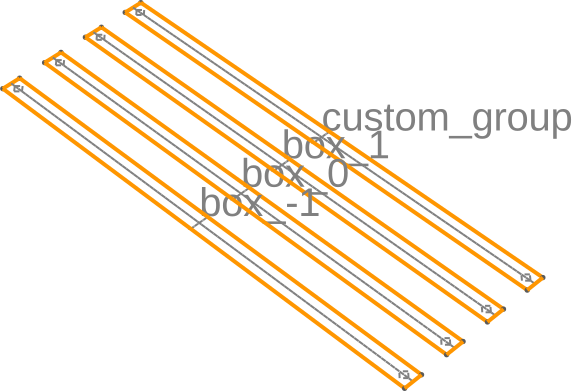
print(builder.get_group("box_1"))
builder.assign_to_group(2, 4, "custom_group").view(
    surfaces=True,
    volume_labels=False,
    surface_labels=True,
    angles=(-45, 0, 45),
    save="figs/manual_group_move.svg",
    font_size=30,
)
Physical Group 'box_1' of dimension 2
           INFO     Creating new physical group of dimension 2  _builder.py:2836
                    with name 'custom_group'
           INFO     Saving figure                               _builder.py:2131

<qtcad.builder.builder.Builder object at 0x75211d183cb0>
Note that the group names have to be unique in Gmsh. If the group
already exists, a dimension-specific suffix is appended to the group
name. Let us demonstrate this behavior by extruding a volume in top
of the surfaces we just created (in
qtcad.builder.Builder.fill_mode to preserve the surface
naming).
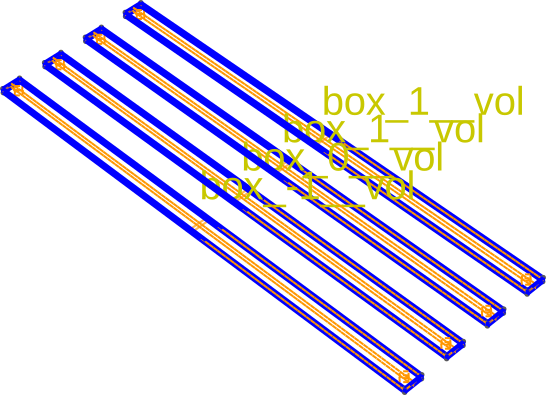
builder.fill_mode().extrude(0.1).displace_mode()
builder.view(
    surfaces=True,
    volume_labels=True,
    surface_labels=False,
    angles=(-45, 0, 45),
    save="figs/vol_ambig.svg",
    font_size=30,
)
           INFO     Extruding shape 0 from mask 'boxes' with    _builder.py:3052
                    name 'box_-1' by 0.1 at z=0
           INFO     Creating new physical group of dimension 2  _builder.py:2836
                    with name 'box_-1_bottom'
           INFO     Creating new physical group of dimension 2  _builder.py:2836
                    with name 'box_-1_side'
           INFO     Creating new physical group of dimension 2  _builder.py:2836
                    with name 'box_-1_top'
           INFO     Creating new physical group of dimension 3  _builder.py:2836
                    with name 'box_-1__vol'
           INFO     Extruding shape 1 from mask 'boxes' with    _builder.py:3052
                    name 'box_0' by 0.1 at z=0
           INFO     Creating new physical group of dimension 2  _builder.py:2836
                    with name 'box_0_bottom'
           INFO     Creating new physical group of dimension 2  _builder.py:2836
                    with name 'box_0_side'
           INFO     Creating new physical group of dimension 2  _builder.py:2836
                    with name 'box_0_top'
           INFO     Creating new physical group of dimension 3  _builder.py:2836
                    with name 'box_0__vol'
           INFO     Extruding shape 2 from mask 'boxes' with    _builder.py:3052
                    name 'box_1' by 0.1 at z=0
           INFO     Creating new physical group of dimension 2  _builder.py:2836
                    with name 'box_1_bottom'
           INFO     Creating new physical group of dimension 2  _builder.py:2836
                    with name 'box_1_side'
           INFO     Creating new physical group of dimension 2  _builder.py:2836
                    with name 'box_1_top'
           INFO     Creating new physical group of dimension 3  _builder.py:2836
                    with name 'box_1__vol'
           INFO     Extruding shape 3 from mask 'boxes' with    _builder.py:3052
                    name 'box_1' by 0.1 at z=0
           INFO     Identifying potential intersections...     fragmenter.py:295
           INFO     Fragmenting...                             fragmenter.py:325
           INFO     Setting z-coordinate to 0.1                  _builder.py:951
           INFO     Saving figure                               _builder.py:2131

<qtcad.builder.builder.Builder object at 0x75211d183cb0>
Above, the resulting volumes have been added to physical groups with
the suffix "__vol" as the name without the suffix is already
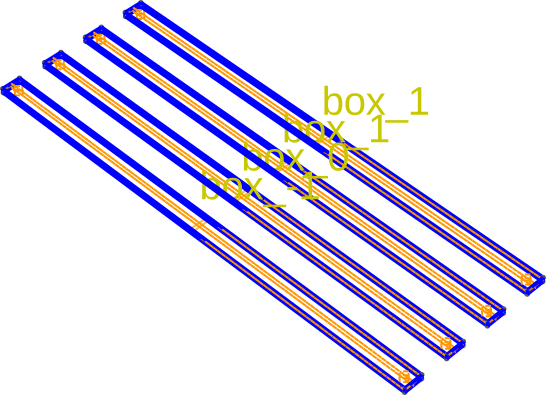
taken up by the surfaces. If we start from scratch and extrude
without adding the surfaces first, the volume groups will not have the suffix:
(
    Builder()
    .add_mask(box_mask)
    .use_mask("boxes")
    .extrude(0.1)
    .view(
        surfaces=True,
        volume_labels=True,
        surface_labels=False,
        angles=(-45, 0, 45),
        save="figs/vol_nonambig.svg",
        font_size=30,
    )
)
[13:10:13] INFO     Using mask 'boxes' (implicitly selecting     _builder.py:849
                    shapes [Polygon 0 'box_-1', Polygon 1
                    'box_0', Polygon 2 'box_1', Polygon 3
                    'box_1'])
           INFO     Extruding shape 0 from mask 'boxes' with    _builder.py:3052
                    name 'box_-1' by 0.1 at z=0
           INFO     Creating new physical group of dimension 2  _builder.py:2836
                    with name 'box_-1_bottom'
           INFO     Creating new physical group of dimension 2  _builder.py:2836
                    with name 'box_-1_side'
           INFO     Creating new physical group of dimension 2  _builder.py:2836
                    with name 'box_-1_top'
           INFO     Creating new physical group of dimension 3  _builder.py:2836
                    with name 'box_-1'
           INFO     Extruding shape 1 from mask 'boxes' with    _builder.py:3052
                    name 'box_0' by 0.1 at z=0
           INFO     Creating new physical group of dimension 2  _builder.py:2836
                    with name 'box_0_bottom'
           INFO     Creating new physical group of dimension 2  _builder.py:2836
                    with name 'box_0_side'
           INFO     Creating new physical group of dimension 2  _builder.py:2836
                    with name 'box_0_top'
           INFO     Creating new physical group of dimension 3  _builder.py:2836
                    with name 'box_0'
           INFO     Extruding shape 2 from mask 'boxes' with    _builder.py:3052
                    name 'box_1' by 0.1 at z=0
           INFO     Creating new physical group of dimension 2  _builder.py:2836
                    with name 'box_1_bottom'
           INFO     Creating new physical group of dimension 2  _builder.py:2836
                    with name 'box_1_side'
           INFO     Creating new physical group of dimension 2  _builder.py:2836
                    with name 'box_1_top'
           INFO     Creating new physical group of dimension 3  _builder.py:2836
                    with name 'box_1'
           INFO     Extruding shape 3 from mask 'boxes' with    _builder.py:3052
                    name 'box_1' by 0.1 at z=0
           INFO     Setting z-coordinate to 0.1                  _builder.py:951
           INFO     Saving figure                               _builder.py:2131

<qtcad.builder.builder.Builder object at 0x75211d0af890>
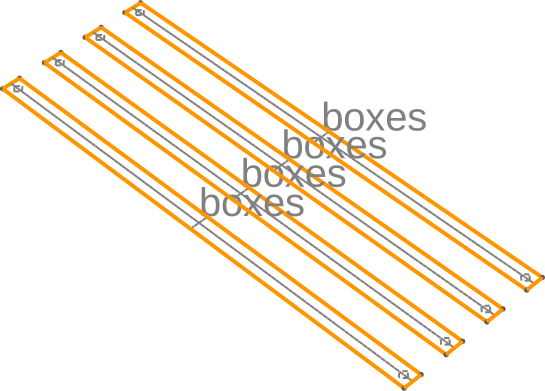
Group from mask name
On the other hand, if we now add entities the selected shapes into the
model using qtcad.builder.Builder.group_from_mask the resulting
entities will be added to physical groups named after the mask they
are created from.
- Builder.group_from_mask() Self
[🔧 Modifier] Any entities created after calling this method will be assigned to a physical group that is named according to the name of the mask they belong to.
(
    Builder()
    .add_mask(box_mask)
    .use_mask("boxes")
    .group_from_mask()
    .add_surface()
    .view(
        surfaces=True,
        volume_labels=False,
        surface_labels=True,
        angles=(-45, 0, 45),
        save="figs/from_mask.svg",
        font_size=30,
    )
)
           INFO     Using mask 'boxes' (implicitly selecting     _builder.py:849
                    shapes [Polygon 0 'box_-1', Polygon 1
                    'box_0', Polygon 2 'box_1', Polygon 3
                    'box_1'])
           INFO     Creating a surface from shape 0 with name   _builder.py:2756
                    'boxes' from mask 'boxes' at z=0
           INFO     Creating new physical group of dimension 2  _builder.py:2836
                    with name 'boxes'
           INFO     Creating a surface from shape 1 with name   _builder.py:2756
                    'boxes' from mask 'boxes' at z=0
           INFO     Creating a surface from shape 2 with name   _builder.py:2756
                    'boxes' from mask 'boxes' at z=0
           INFO     Creating a surface from shape 3 with name   _builder.py:2756
                    'boxes' from mask 'boxes' at z=0
           INFO     Saving figure                               _builder.py:2131

<qtcad.builder.builder.Builder object at 0x75211cc65e50>
As promised, the shapes are now named after the mask "boxes".
Manual group naming
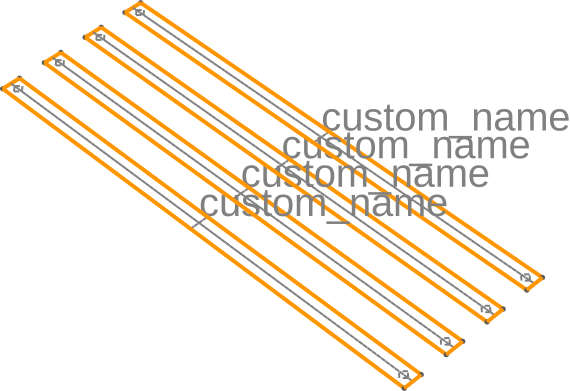
Finally we can manually specify a physical group name for subsequent
operations through qtcad.builder.Builder.set_group_name.
- Builder.set_group_name(name: str) Self
[🔧 Modifier] Any entities created after calling this method will be assigned to the physical group with name
name.See also
group_from_maskandgroup_from_shape.
(
    Builder()
    .add_mask(box_mask)
    .use_mask("boxes")
    .set_group_name("custom_name")
    .add_surface()
    .view(
        surfaces=True,
        volume_labels=False,
        surface_labels=True,
        angles=(-45, 0, 45),
        save="figs/manual_name.svg",
        font_size=30,
    )
)
           INFO     Using mask 'boxes' (implicitly selecting     _builder.py:849
                    shapes [Polygon 0 'box_-1', Polygon 1
                    'box_0', Polygon 2 'box_1', Polygon 3
                    'box_1'])
           INFO     Creating a surface from shape 0 with name   _builder.py:2756
                    'custom_name' from mask 'boxes' at z=0
           INFO     Creating new physical group of dimension 2  _builder.py:2836
                    with name 'custom_name'
           INFO     Creating a surface from shape 1 with name   _builder.py:2756
                    'custom_name' from mask 'boxes' at z=0
           INFO     Creating a surface from shape 2 with name   _builder.py:2756
                    'custom_name' from mask 'boxes' at z=0
           INFO     Creating a surface from shape 3 with name   _builder.py:2756
                    'custom_name' from mask 'boxes' at z=0
           INFO     Saving figure                               _builder.py:2131

<qtcad.builder.builder.Builder object at 0x75211d0af890>
Selecting individual shapes
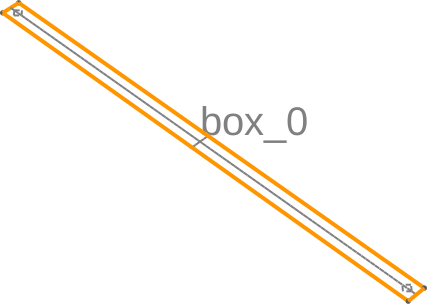
Using qtcad.builder.Builder.use_shape we can select a single shape by
name or id
- Builder.use_shape(shape: str | int | list[str | int] | Callable[[Shape], bool] | None = None) Self
[🔧 Modifier] Select shapes in the current mask that will be used for all following operations.
(
    Builder()
    .add_mask(box_mask)
    .use_mask("boxes")
    .use_shape("box_0")
    .add_surface()
    .view(
        surfaces=True,
        volume_labels=False,
        surface_labels=True,
        angles=(-45, 0, 45),
        save="figs/one_shape.svg",
        font_size=30,
    )
)
           INFO     Using mask 'boxes' (implicitly selecting     _builder.py:849
                    shapes [Polygon 0 'box_-1', Polygon 1
                    'box_0', Polygon 2 'box_1', Polygon 3
                    'box_1'])
           INFO     Selected shapes: [Polygon 1 'box_0']         _builder.py:902
           INFO     Creating a surface from shape 1 with name   _builder.py:2756
                    'box_0' from mask 'boxes' at z=0
           INFO     Creating new physical group of dimension 2  _builder.py:2836
                    with name 'box_0'
           INFO     Saving figure                               _builder.py:2131

<qtcad.builder.builder.Builder object at 0x75211cc65e50>
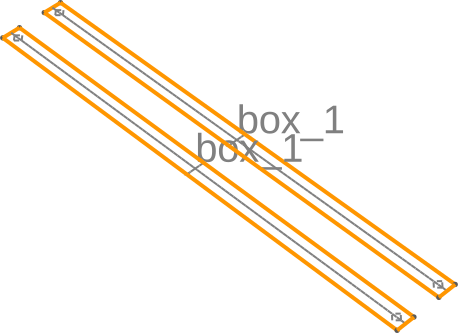
If selection is performed using a name, all shapes in the currently selected mask are selected.
(
    Builder()
    .add_mask(box_mask)
    .use_mask("boxes")
    .use_shape("box_1")
    .add_surface()
    .view(
        surfaces=True,
        volume_labels=False,
        surface_labels=True,
        angles=(-45, 0, 45),
        save="figs/duplicate_shape.svg",
        font_size=30,
    )
)
           INFO     Using mask 'boxes' (implicitly selecting     _builder.py:849
                    shapes [Polygon 0 'box_-1', Polygon 1
                    'box_0', Polygon 2 'box_1', Polygon 3
                    'box_1'])
           INFO     Selected shapes: [Polygon 2 'box_1', Polygon _builder.py:902
                    3 'box_1']
           INFO     Creating a surface from shape 2 with name   _builder.py:2756
                    'box_1' from mask 'boxes' at z=0
           INFO     Creating new physical group of dimension 2  _builder.py:2836
                    with name 'box_1'
           INFO     Creating a surface from shape 3 with name   _builder.py:2756
                    'box_1' from mask 'boxes' at z=0
           INFO     Saving figure                               _builder.py:2131

<qtcad.builder.builder.Builder object at 0x75211d0af890>
In this case, we can select an individual shape using its numerical id.
(
    Builder()
    .add_mask(box_mask)
    .use_mask("boxes")
    .use_shape(3)
    .add_surface()
    .view(
        surfaces=True,
        volume_labels=False,
        surface_labels=True,
        angles=(-45, 0, 45),
        save="figs/duplicate_shape_select.svg",
        font_size=30,
    )
)
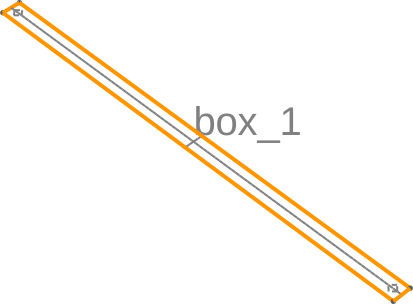
[13:10:14] INFO     Using mask 'boxes' (implicitly selecting     _builder.py:849
                    shapes [Polygon 0 'box_-1', Polygon 1
                    'box_0', Polygon 2 'box_1', Polygon 3
                    'box_1'])
           INFO     Selected shapes: [Polygon 3 'box_1']         _builder.py:902
           INFO     Creating a surface from shape 3 with name   _builder.py:2756
                    'box_1' from mask 'boxes' at z=0
           INFO     Creating new physical group of dimension 2  _builder.py:2836
                    with name 'box_1'
           INFO     Saving figure                               _builder.py:2131

<qtcad.builder.builder.Builder object at 0x75211d0afc50>
We can also pass multiple names/indices to select multiple shapes at once.
(
    Builder()
    .add_mask(box_mask)
    .use_mask("boxes")
    .use_shapes(["box_-1", "box_0", 3])
    .add_surface()
    .view(
        surfaces=True,
        volume_labels=False,
        surface_labels=True,
        angles=(-45, 0, 45),
        save="figs/select_multi.svg",
        font_size=30,
    )
)
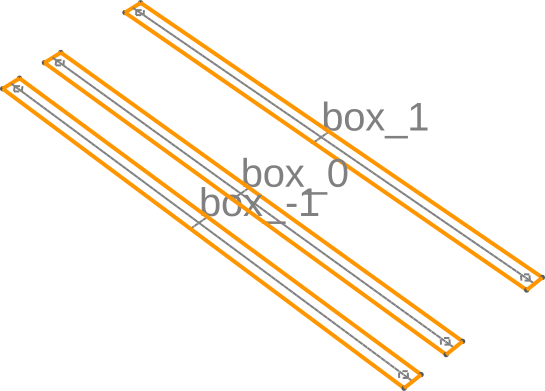
           INFO     Using mask 'boxes' (implicitly selecting     _builder.py:849
                    shapes [Polygon 0 'box_-1', Polygon 1
                    'box_0', Polygon 2 'box_1', Polygon 3
                    'box_1'])
           INFO     Selected shapes: [Polygon 1 'box_0', Polygon _builder.py:902
                    3 'box_1', Polygon 0 'box_-1']
           INFO     Creating a surface from shape 1 with name   _builder.py:2756
                    'box_0' from mask 'boxes' at z=0
           INFO     Creating new physical group of dimension 2  _builder.py:2836
                    with name 'box_0'
           INFO     Creating a surface from shape 3 with name   _builder.py:2756
                    'box_1' from mask 'boxes' at z=0
           INFO     Creating new physical group of dimension 2  _builder.py:2836
                    with name 'box_1'
           INFO     Creating a surface from shape 0 with name   _builder.py:2756
                    'box_-1' from mask 'boxes' at z=0
           INFO     Creating new physical group of dimension 2  _builder.py:2836
                    with name 'box_-1'
           INFO     Saving figure                               _builder.py:2131

<qtcad.builder.builder.Builder object at 0x75211d0af890>
Group manipulation
There are various methods to manipulate groups after they have been created.
For example, we can rename groups using qtcad.builder.Builder.rename_group.
- Builder.rename_group(old: str, new: str) Self
[⚡ Utility] Rename an existing physical group
oldtonew.- Raises:
ValueError – If the group already exists.
builder = (
    Builder()
    .add_mask(box_mask)
    .use_mask("boxes")
    .use_shapes(["box_0"])
    .extrude(1)
    .view(
        surfaces=False,
        volume_labels=True,
        surface_labels=False,
        angles=(-45, 0, 45),
        save="figs/rename_before.svg",
        font_size=30,
    )
)

builder.rename_group("box_0", "new_name").view(
    surfaces=False,
    volume_labels=True,
    surface_labels=False,
    angles=(-45, 0, 45),
    save="figs/rename_after.svg",
    font_size=30,
)
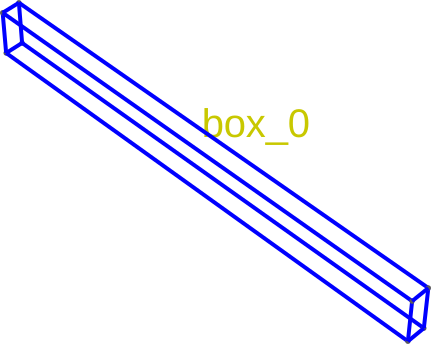
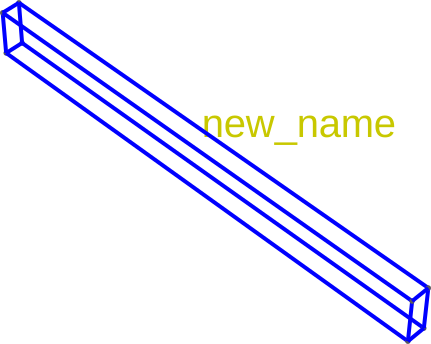
           INFO     Using mask 'boxes' (implicitly selecting     _builder.py:849
                    shapes [Polygon 0 'box_-1', Polygon 1
                    'box_0', Polygon 2 'box_1', Polygon 3
                    'box_1'])
           INFO     Selected shapes: [Polygon 1 'box_0']         _builder.py:902
           INFO     Extruding shape 1 from mask 'boxes' with    _builder.py:3052
                    name 'box_0' by 1 at z=0
           INFO     Creating new physical group of dimension 2  _builder.py:2836
                    with name 'box_0_bottom'
           INFO     Creating new physical group of dimension 2  _builder.py:2836
                    with name 'box_0_side'
           INFO     Creating new physical group of dimension 2  _builder.py:2836
                    with name 'box_0_top'
           INFO     Creating new physical group of dimension 3  _builder.py:2836
                    with name 'box_0'
           INFO     Setting z-coordinate to 1                    _builder.py:951
           INFO     Saving figure                               _builder.py:2131
           INFO     Saving figure                               _builder.py:2131

<qtcad.builder.builder.Builder object at 0x75211d0afc50>
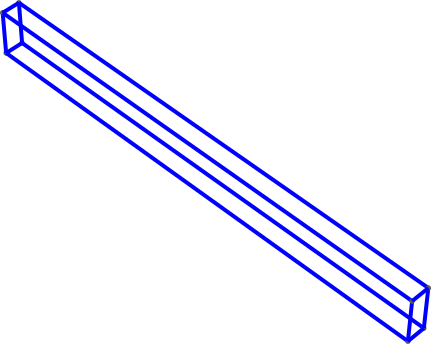
Similarly, we can delete groups using qtcad.builder.Builder.dissolve_physical_group.
- Builder.dissolve_physical_group(group: str | list[str] | Callable[[PhysicalGroup], bool]) Self
[⚡ Utility] Dissolve (remove) the physical group(s) with name
name(seeget_group). The entities in the group are not removed from the model.
(
    builder.dissolve_physical_group("new_name").view(
        surfaces=False,
        volume_labels=True,
        surface_labels=False,
        angles=(-45, 0, 45),
        save="figs/dissolve.svg",
        font_size=30,
    )
)
           INFO     Saving figure                               _builder.py:2131

<qtcad.builder.builder.Builder object at 0x75211d0afc50>
We can also merge groups using qtcad.builder.Builder.merge_groups.
- Builder.merge_groups(groups: str | list[str] | Callable[[PhysicalGroup], bool], into: str) Self
[⚡ Utility] Merge multiple physical groups
groupsinto the (potentially new) groupnew.- Parameters:
groups – Group(s) to merge. See
get_groupfor details.into – The name of a new or existing group to merge into.
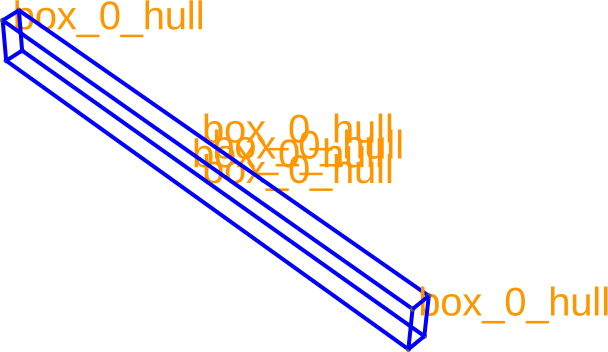
As an example, let us merge all the surface groups of the above volume into a single group.
(
    builder.merge_groups(
        lambda group: group.name.startswith("box_0"), "box_0_hull"
    ).view(
        surfaces=False,
        volume_labels=False,
        surface_labels=True,
        angles=(-45, 0, 45),
        save="figs/merge.svg",
        font_size=30,
    )
)
           INFO     Merging groups ['box_0_bottom',             _builder.py:1624
                    'box_0_side', 'box_0_top'] into
                    'box_0_hull'
           INFO     Creating new physical group of dimension 2  _builder.py:2836
                    with name 'box_0_hull'
           INFO     Saving figure                               _builder.py:2131

<qtcad.builder.builder.Builder object at 0x75211d0afc50>
Above, we merged all groups whose name starts with "box_0" into a new group using a
lambda function as a filter. Alternatively, we could have passed a list of group names to
be merged.
Total running time of the script: (0 minutes 2.947 seconds)