Note
Go to the end to download the full example code.
Deposition and Growth
This example demonstrates the qtcad.builder.Builder.deposit and
qtcad.builder.Builder.grow operations that both add material to the top of the model.
Initializing the builder
Below, we initialize a new instance of qtcad.builder.Builder and
define a couple of simple shapes we are going to use in the following.
from qtcad.builder import Builder, Polygon, Mask, Circle

footprint = Polygon.box(10, 10, name="base").centered()
circle = Circle(name="circ", radius=1).centered()
thin = Polygon.box(10, 0.4, name="thin").centered()
thick = Polygon.box(10, 2, name="thick").centered()

box_mask = Mask("footprint")
box_mask.add_shape(footprint)
box_mask.add_shape(circle)
box_mask.add_shape(thin)
box_mask.add_shape(thick)

builder = Builder().add_mask(box_mask)
builder.print_mask_tree()
Layout
└── Mask 0 "footprint"
    ├── 0  Polygon  "base" (4)
    ├── 1  Circle  "circ" (1)
    ├── 2  Polygon  "thin" (4)
    └── 3  Polygon  "thick" (4)

<qtcad.builder.builder.Builder object at 0x7ff520ffcf50>
Base geometry
Next, select the generate a geometry with an uneven surface. We use
qtcad.builder.Builder.set_group_name to tell the Builder
to assign all subsequently created entities to the physical group
"model_base". We also use qtcad.builder.Builder.copy_shape to
create two translated versions of the circle shape. Using
qtcad.builder.Builder.save_z and qtcad.builder.Builder.set_z we
can save and restore the z-coordinate of the top of the "base"
volume.
builder = (
    builder.set_group_name("model_base")
    .set_mesh_size(10)
    .use_mask("footprint")
    .use_shape("base")
    .extrude(2)
    .save_z("box_top")
    .use_shape("circ")
    .extrude(1)
)

builder.view(
    surfaces=False,
    volume_labels=True,
    angles=(-45, 0, 45),
    save="figs/deposit_base.svg",
    font_size=15,
    zoom=0.8,
)
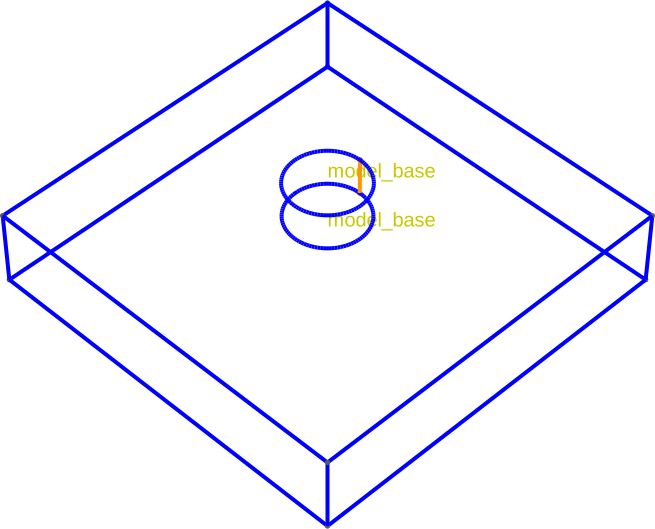
[14:50:41] INFO     Using mask 'footprint' (implicitly selecting    _builder.py:827
                    shapes [Circle 1 'circ', Polygon 0 'base',
                    Polygon 2 'thin', Polygon 3 'thick'])
           INFO     Selected shapes: [Polygon 0 'base']             _builder.py:880
           INFO     Extruding shape 0 from mask 'footprint' with   _builder.py:2895
                    name 'base' by 2 at z=0
           INFO     Creating new physical group of dimension 2     _builder.py:2679
                    with name 'model_base_bottom'
           INFO     Creating new physical group of dimension 2     _builder.py:2679
                    with name 'model_base_side'
           INFO     Creating new physical group of dimension 2     _builder.py:2679
                    with name 'model_base_top'
           INFO     Creating new physical group of dimension 3     _builder.py:2679
                    with name 'model_base'
           INFO     Setting z-coordinate to 2                       _builder.py:929
           INFO     Selected shapes: [Circle 1 'circ']              _builder.py:880
           INFO     Extruding shape 1 from mask 'footprint' with   _builder.py:2895
                    name 'circ' by 1 at z=2
           INFO     Identifying potential intersections...        fragmenter.py:290
           INFO     Fragmenting...                                fragmenter.py:320
           INFO     Setting z-coordinate to 3                       _builder.py:929
           INFO     Saving figure                                  _builder.py:1994

<qtcad.builder.builder.Builder object at 0x7ff520ffcf50>
Deposition
Now we will use qtcad.builder.Builder.deposit to add
material to the top surface. Depositing acts like a having “snow” fall
on top of the model.
- Builder.deposit(height: float, noclip: bool = False) Self
[🏗️ Operation] Deposit the currently selected shape(s) into the model up from the current z coordinate by
heightlength units. This is done by adding new material atop the topmost surfaces of the model. Ifnoclip=True, the new material is deposited on the whole top surface of the model, rather than clipped by the currently selected shapes.- Parameters:
height – The distance by which to deposit the shape(s) up into the model.
noclip – Whether to deposit the shape without horizontally clipping to the current shapes.
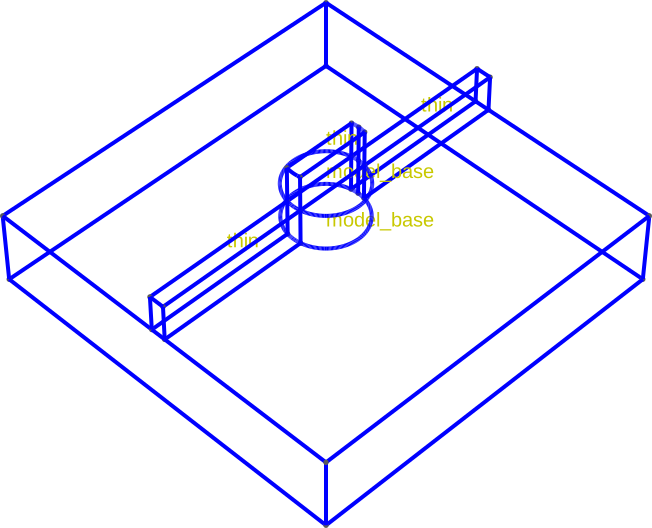
builder.use_shape("thin").group_from_shape().deposit(1)
[14:50:42] INFO     Selected shapes: [Polygon 2 'thin']             _builder.py:880
           INFO     Depositing on top surfaces clipped to shape 2   _builder.py:341
                    with name 'thin' by 1
           INFO     Creating new physical group of dimension 2     _builder.py:2679
                    with name 'thin_bottom'
           INFO     Creating new physical group of dimension 2     _builder.py:2679
                    with name 'thin_side'
           INFO     Creating new physical group of dimension 2     _builder.py:2679
                    with name 'thin_top'
           INFO     Creating new physical group of dimension 3     _builder.py:2679
                    with name 'thin'
           INFO     Identifying potential intersections...        fragmenter.py:290
           INFO     Fragmenting...                                fragmenter.py:320

<qtcad.builder.builder.Builder object at 0x7ff520ffcf50>
By default the current shapes are used to horizontally clip the resulting volume:
builder.view(
    surfaces=False,
    volume_labels=True,
    surface_labels=False,
    angles=(-45, 0, 45),
    save="figs/deposit_result.svg",
    font_size=15,
    zoom=0.8,
)
           INFO     Saving figure                                  _builder.py:1994

<qtcad.builder.builder.Builder object at 0x7ff520ffcf50>
Before continuing, we create a snapshot of the state of builder and Gmsh before depositing the surface. Currently this operation is only available on POSIX compliant systems that support process forking.
builder_snapshot = builder.snapshot()
INFO Forking (emulated) gmsh_executor.py:275
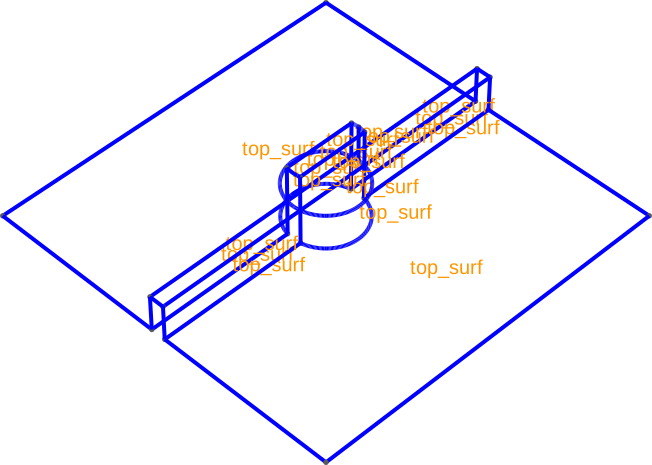
We can also deposit surfaces in the same manner. Here, we use
no_clip=True select the whole top surface of the model. This
argument exists for all grow and deposit functions.
- Builder.deposit_surface(noclip: bool = False) Self
[🏗️ Operation] Add the currently selected shapes as surfaces on top of the model, following the contours of the top surface. If
noclipisTrue, then the surface is not clipped and can extend past the currently selected shapes.
builder.set_group_name("top_surf").deposit_surface(noclip=True).view(
    surfaces=False,
    volume_labels=False,
    surface_labels=True,
    angles=(-45, 0, 45),
    save="figs/deposit_surf_result.svg",
    font_size=15,
    zoom=0.8,
    groups=["top_surf"],
)
[14:50:43] INFO     Depositing surface on top of the model          _builder.py:301
           INFO     Creating new physical group of dimension 2     _builder.py:2679
                    with name 'top_surf'
           INFO     Identifying potential intersections...        fragmenter.py:290
           INFO     Fragmenting...                                fragmenter.py:320
           INFO     Saving figure                                  _builder.py:1994

<qtcad.builder.builder.Builder object at 0x7ff520ffcf50>
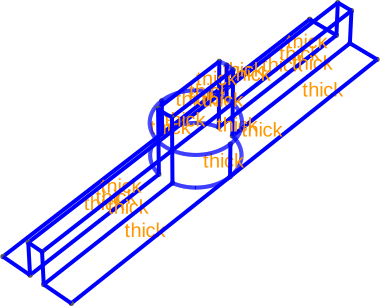
The same operation as above, but clipped to a thicker version of the
"thin" shape we use above.
builder_snapshot.use_shape("thick").deposit_surface().view(
    surfaces=False,
    volume_labels=False,
    surface_labels=True,
    angles=(-45, 0, 48),
    save="figs/deposit_surf_result_clip.svg",
    font_size=15,
    zoom=0.8,
    groups=["thick"],
)
           INFO     Selected shapes: [Polygon 3 'thick']            _builder.py:880
           INFO     Depositing surface from shape 3 with name       _builder.py:308
                    'thick'
           INFO     Creating new physical group of dimension 2     _builder.py:2679
                    with name 'thick'
           INFO     Identifying potential intersections...        fragmenter.py:290
           INFO     Fragmenting...                                fragmenter.py:320
           INFO     Saving figure                                  _builder.py:1994

<qtcad.builder.builder.Builder object at 0x7ff520ffd950>
We can now delete the above builder instance to free up resources. In the present case this is not strictly necessary, but if one was to create many instances of builder in a loop it is advised to free them as they all share the same gmsh instance.
del builder_snapshot
Growing
Another option to add material on top of the model is to “grow” it by adding a layer of uniform thickness atop the model. Again, the created volumes can be optionally clipped by the selected shapes.
- Builder.grow(thickness: float, noclip: bool = False, grow_complexity: float = 3.0, grow_accuracy: int = 100, min_curve_nodes: int = 20, polygonize: bool = False) Self
[🏗️ Operation] Emulate a physical ‘growth’ operation to add material to the current topmost volumes. In contrast to
deposit, this will not only add material to the top of the volumes but also to their sides. The currently active shapes are used to horizontally clip the new volumes unlessnoclipisTrue.The resulting surfaces are labelled similar to the
extrudecommand. However, there is some ambiguity as to what surfaces are to be considered to be on top and what surfaces are on the side. Here, we choose surfaces whose (average) normal vector projected on the x-y plane is 10% larger than its projection on the z-axis to be on the “side”. Surfaces can be created/renamed usingassign_to_group,add_surfaceordeposit_surface.- Parameters:
thickness – The distance by which to grow the selected shapes. Must be positive.
noclip – If
True, do not clip the created volumes horizontally.grow_complexity – Controls the geometric detail of the resulting CAD object. A value of 10 means the resulting object will have at most roughly 10 times the number of nodes (points) of the original object. Higher values preserve more detail but increase the number of faces and edges, which can slow down subsequent CAD operations.
grow_accuracy – Controls how closely the growth follows the fine details of the original shape. A higher value captures sharp corners and small crevices more precisely. Lower values “smooth over” these details, creating a simpler and rounder wrap around the original object.
min_curve_nodes – Minimum number of nodes to use for discretizing curves when approximating the shapes for growth.
polygonize – Deprecated.
First we reset the model to our earlier initial condition:
[14:50:44] INFO     Using mask 'footprint' (implicitly selecting    _builder.py:827
                    shapes [Circle 1 'circ', Polygon 0 'base',
                    Polygon 2 'thin', Polygon 3 'thick'])
           INFO     Selected shapes: [Polygon 0 'base']             _builder.py:880
           INFO     Extruding shape 0 from mask 'footprint' with   _builder.py:2895
                    name 'base' by 2 at z=0
           INFO     Creating new physical group of dimension 2     _builder.py:2679
                    with name 'model_base_bottom'
           INFO     Creating new physical group of dimension 2     _builder.py:2679
                    with name 'model_base_side'
           INFO     Creating new physical group of dimension 2     _builder.py:2679
                    with name 'model_base_top'
           INFO     Creating new physical group of dimension 3     _builder.py:2679
                    with name 'model_base'
           INFO     Setting z-coordinate to 2                       _builder.py:929
           INFO     Selected shapes: [Circle 1 'circ']              _builder.py:880
           INFO     Extruding shape 1 from mask 'footprint' with   _builder.py:2895
                    name 'circ' by 1 at z=2
           INFO     Identifying potential intersections...        fragmenter.py:290
           INFO     Fragmenting...                                fragmenter.py:320
           INFO     Setting z-coordinate to 3                       _builder.py:929
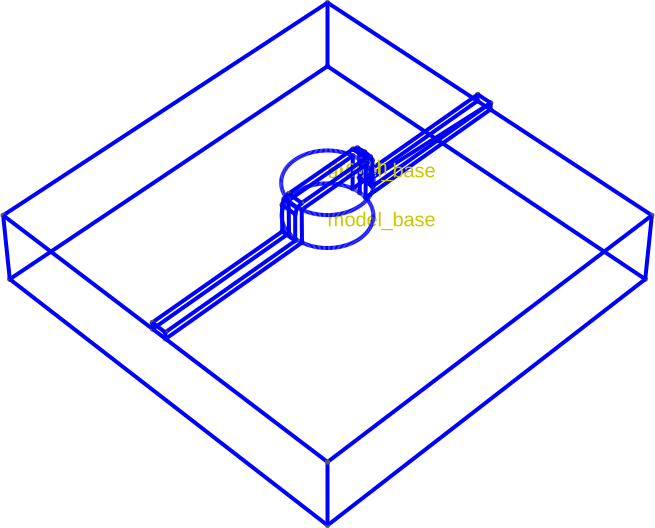
Then, we apply the growth operation with the clipping shape "thick".
builder.set_group_name("growth").use_shape("thin").grow(0.2).view(
    surfaces=False,
    volume_labels=True,
    surface_labels=False,
    angles=(-45, 0, 45),
    save="figs/deposit_groth.svg",
    font_size=15,
    zoom=0.8,
)
           INFO     Selected shapes: [Polygon 2 'thin']             _builder.py:880
           INFO     Growing top surfaces clipped to shape 2 with   _builder.py:3506
                    name 'thin' by 0.2
           INFO     Growing volume (3, 4)...                       _builder.py:3464
           INFO     Creating new physical group of dimension 2     _builder.py:2679
                    with name 'growth_bottom'
           INFO     Creating new physical group of dimension 2     _builder.py:2679
                    with name 'growth_side'
           INFO     Creating new physical group of dimension 2     _builder.py:2679
                    with name 'growth_top'
           INFO     Creating new physical group of dimension 3     _builder.py:2679
                    with name 'growth'
           INFO     Identifying potential intersections...        fragmenter.py:290
           INFO     Fragmenting...                                fragmenter.py:320
           INFO     Saving figure                                  _builder.py:1994

<qtcad.builder.builder.Builder object at 0x7ff520ffd090>
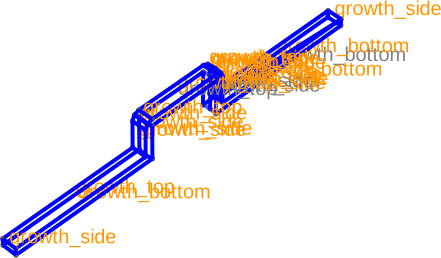
The volume that has been added is a film of thickness .5:
builder.view(
    surfaces=False,
    surface_labels=True,
    angles=(-45, 0, 45),
    save="figs/deposit_groth_only.svg",
    font_size=15,
    zoom=0.8,
    groups=["growth"],
)
[14:50:45] INFO     Saving figure                                  _builder.py:1994

<qtcad.builder.builder.Builder object at 0x7ff520ffd090>
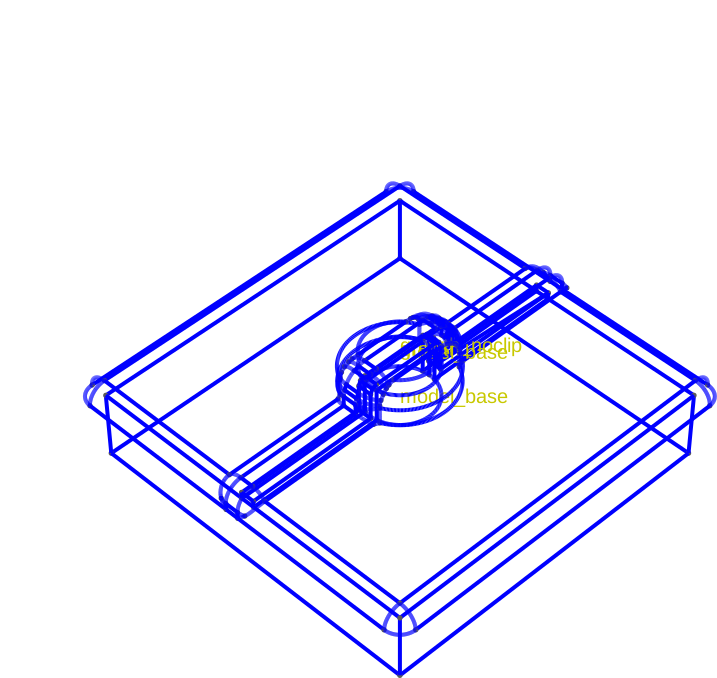
Again, the noclip argument allows to grow the whole top surface
at once. (Note that in this case clipping to the "base" shape
would be closer to our intentions.)
(
    builder.set_group_name("growth_noclip")
    .grow(0.5, noclip=True)
    .view(
        surfaces=False,
        volume_labels=True,
        surface_labels=False,
        angles=(-45, 0, 45),
        save="figs/deposit_groth_noclip.svg",
        font_size=15,
        zoom=0.8,
    )
)
           INFO     Growing top surfaces by 0.5                    _builder.py:3511
           INFO     Growing volume (3, 8)...                       _builder.py:3464
[14:50:47] INFO     Creating new physical group of dimension 2     _builder.py:2679
                    with name 'growth_noclip_bottom'
           INFO     Creating new physical group of dimension 2     _builder.py:2679
                    with name 'growth_noclip_side'
           INFO     Creating new physical group of dimension 2     _builder.py:2679
                    with name 'growth_noclip_top'
           INFO     Creating new physical group of dimension 3     _builder.py:2679
                    with name 'growth_noclip'
           INFO     Identifying potential intersections...        fragmenter.py:290
           INFO     Fragmenting...                                fragmenter.py:320
[14:50:48] INFO     Saving figure                                  _builder.py:1994

<qtcad.builder.builder.Builder object at 0x7ff520ffd090>
Note
During the execution of the grow command you may encounter a log message like:
Failed to grow. Shrinking by 0.1%
OpenCASCADE, the CAD kernel that Builder uses through Gmsh, sometimes fails to grow volumes but succeed when the thickness is changed slightly. If you encounter this message and a subsequent crash, trying another growth size is a good first troubleshooting step.
If you want builder to crash straightaway rather than trying to
change the thickness, you can pass exact=True.
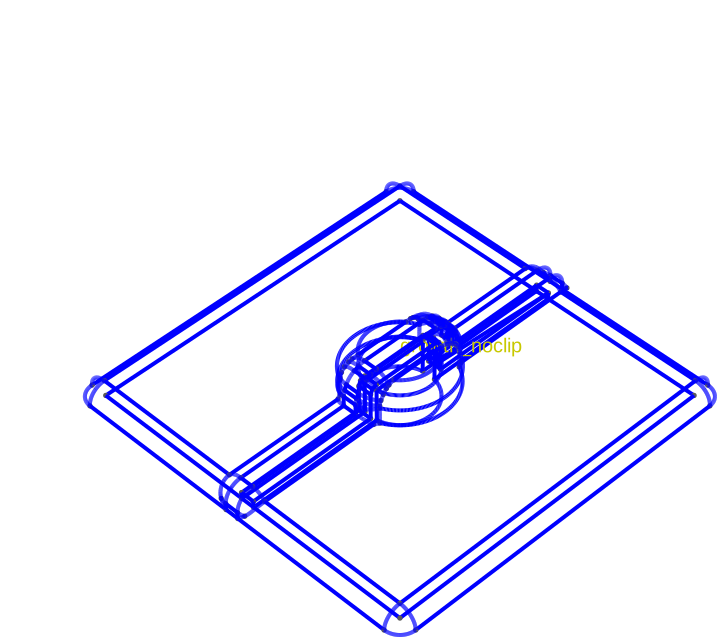
The grown volume in isolation is:
builder.view(
    surfaces=False,
    volume_labels=True,
    surface_labels=False,
    angles=(-45, 0, 45),
    save="figs/deposit_groth_noclip_only.svg",
    font_size=15,
    zoom=0.8,
    groups=["growth_noclip"],
)
           INFO     Saving figure                                  _builder.py:1994

<qtcad.builder.builder.Builder object at 0x7ff520ffd090>
Total running time of the script: (0 minutes 7.355 seconds)